CVR / Erhvervsstyrelsen Easy
~1 min. read
Updating Company Contact Details in the Danish CVR Register
How to update your official company information with the Danish Business Authority to facilitate OV and EV certificate validation.

Updating CVR Information
- Navigate to virk.dk
- Select Ændre virksomhed (Change company).
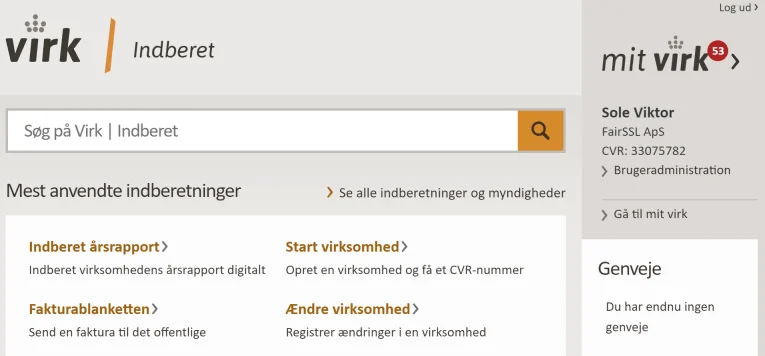
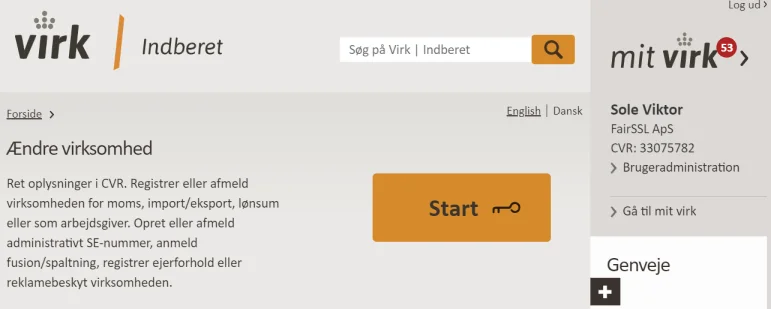
- Click Start.
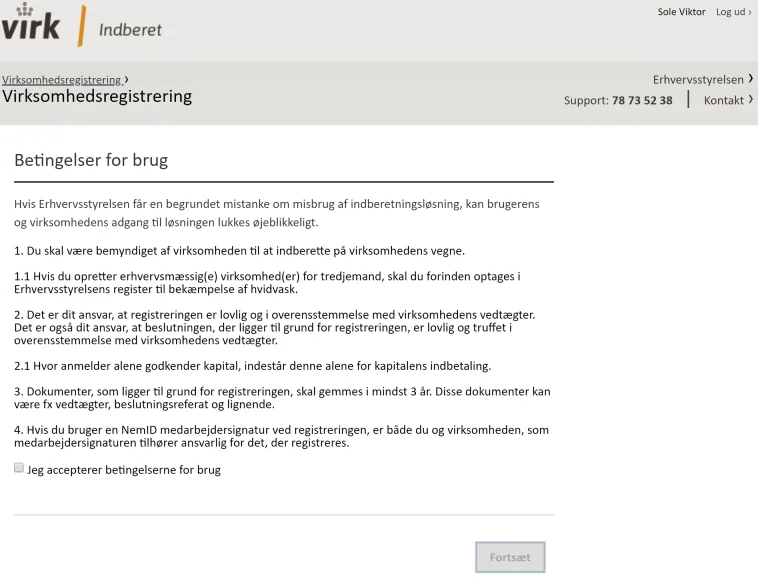
- Tick the box for Jeg accepterer betingelserne for brug (I accept the terms of use).
Click Fortsæt (Continue).
- Log in using your MitID Erhverv (business signature) or a personal MitID that has the necessary permissions to manage the company.
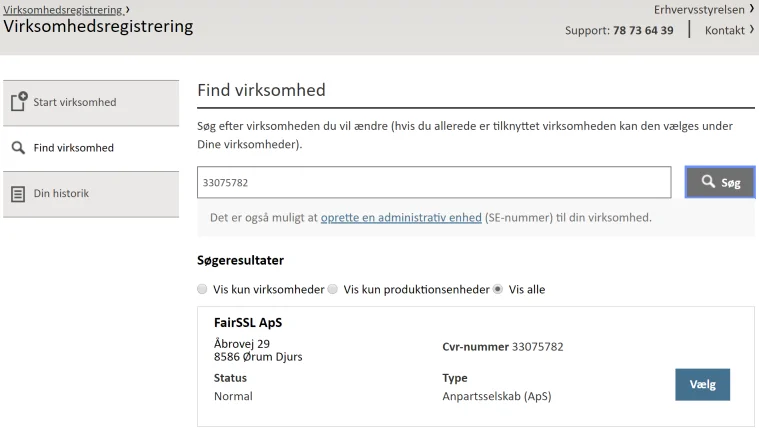
- Search for your organisation using its CVR number or legal name.
Click Vælg (Select).
- Click Ændre virksomheden (Edit company).
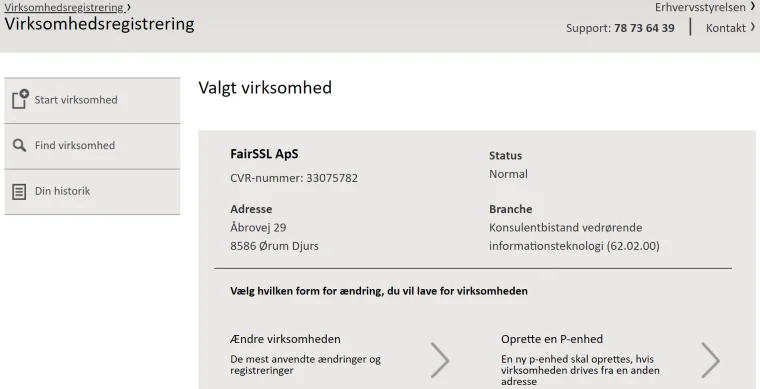
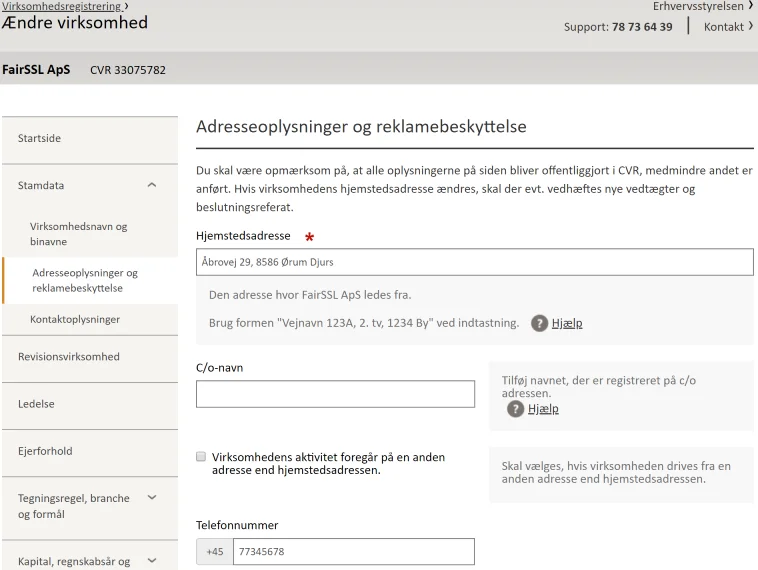
- Expand the Stamdata (Master data) section.
Click on Adresseoplysninger og reklamebeskyttelse (Address information and advertising protection).
Enter the updated information, such as your phone number or registered address.
Click Gem og fortsæt (Save and continue).
Note: The Kontaktoplysninger (Contact details) section is for internal use by the authorities (SKAT) and will not be publicly visible on the CVR website.
- The updated details will appear on cvr.dk once the Danish Business Authority (Erhvervsstyrelsen) has approved them. This usually occurs within a few hours, though it can occasionally take up to 72 hours.
Strengthen your TLS security
Use the Mozilla SSL Configuration Generator to generate a secure TLS configuration with modern cipher suites and protocol settings.
Mozilla SSL Configuration Generator guide